
Overview
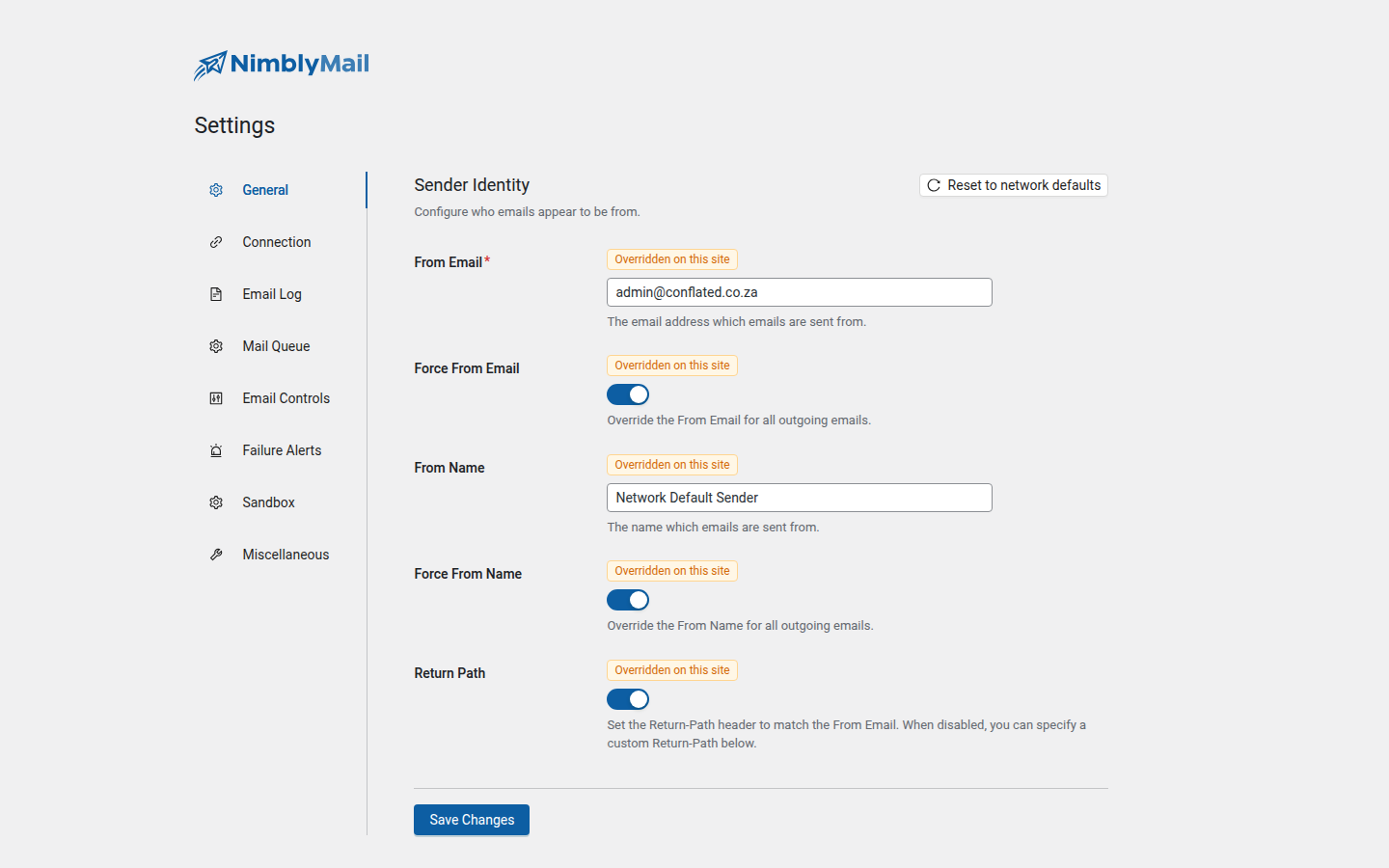
All NimblyMail settings live under WP Admin → NimblyMail → Settings. The settings page is organized into eight tabs. Each tab has its own Save Changes button — changes on one tab do not affect others until saved.
Tip: Settings can be locked via PHP constants defined in
wp-config.php. Locked fields become read-only in the admin UI and display a “Defined in wp-config.php” badge. See Advanced Settings for the full list of constants.
Tabs
General
Controls the sender identity for all outgoing emails — the From address, From name, and Return-Path header. Use the Force toggles to ensure your settings override anything set by WordPress core or other plugins.
Connection
Selects and configures the email transport (mailer) used to deliver messages. Nine options are available: PHP Mail, SMTP, Gmail OAuth, Outlook / Microsoft 365 OAuth, Amazon SES, Resend, SendLayer, Brevo, and ZeptoMail.
Email Providers →
Email Log
Controls what gets logged, how log entries are displayed, and how long logs are retained before automatic cleanup.
Mail Queue
Defers wp_mail() calls to a non-blocking background queue. Configure max retries, exponential backoff, batch size, default priority, and the stuck-row reclaim window.
Sandbox
Stops staging or local environments from sending real customer email. Pick Log Only or Redirect mode and configure an allowlist for testing addresses.
Email Controls
Lets you selectively disable built-in WordPress notification emails you do not need. Notifications are grouped into categories such as Comments, User Account changes, Automatic Updates, and more.
Failure Alerts
Configures failure alert notifications. When an email fails to deliver, NimblyMail sends an alert to a nominated address using PHP’s native mail() function, bypassing the broken transport.
Miscellaneous
Houses utility settings including the Do Not Send staging toggle, debug mode, data removal on uninstall, and the option to re-launch the setup wizard.