
Navigation: WP Admin → NimblyMail → Settings → Email Controls
Email Controls lets you selectively disable built-in WordPress notification emails. Each notification has an individual toggle. Disabled notifications are suppressed before they reach the mailer — they are never sent, and no log entry is created.
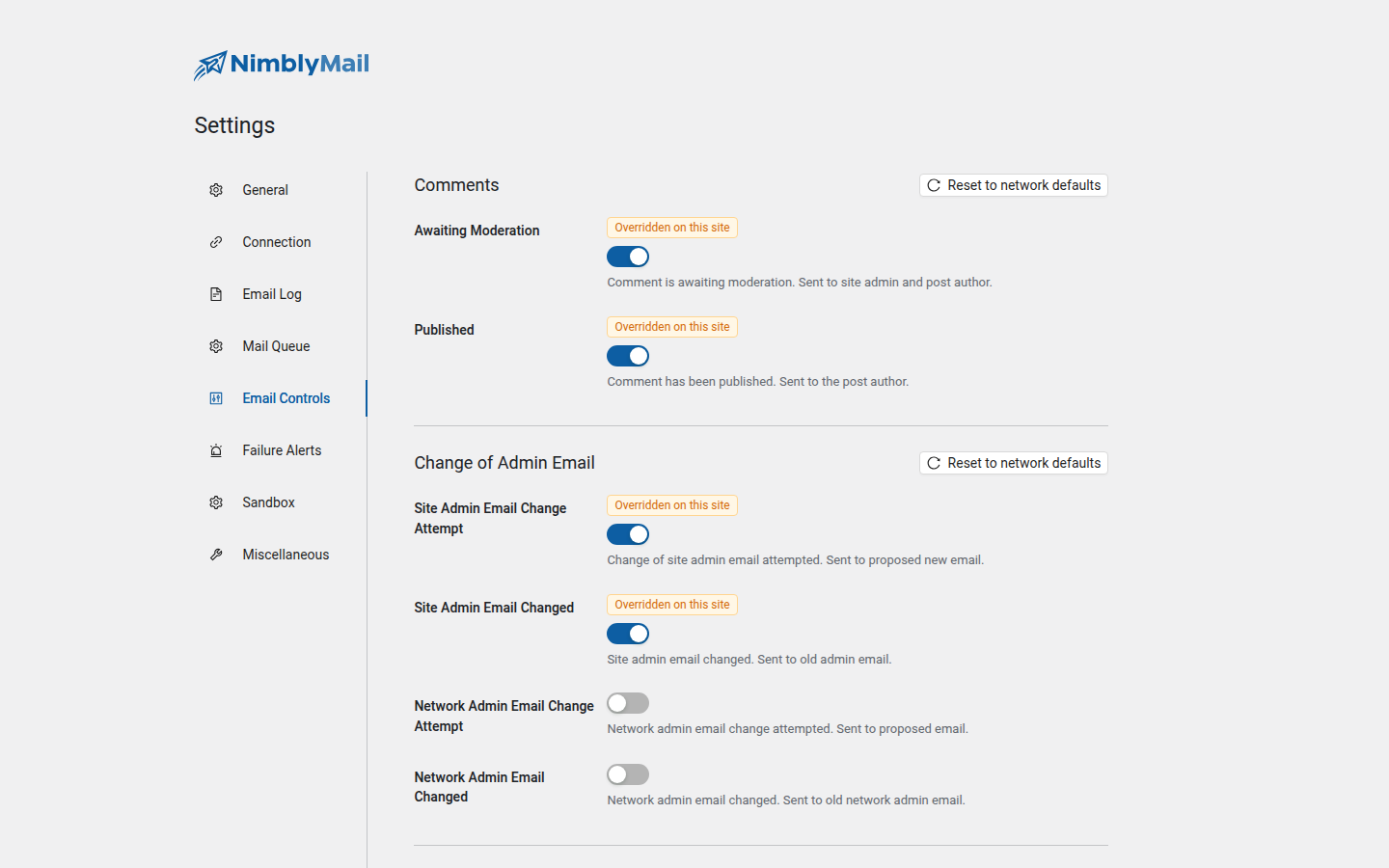
Use this to reduce email noise for your site’s administrators and users. For example, you may want to disable automatic update summaries or comment moderation notices that you do not act on.
Warning: Some notifications are important for site functionality or legal compliance. Review each category carefully before disabling anything.
Comments
Notifications related to user-submitted comments.
| Notification | Sent To |
|---|---|
| Awaiting Moderation | Admin and post author |
| Published | Post author |
Change of Admin Email
Notifications triggered when the site admin email address is changed.
| Notification | Sent To |
|---|---|
| Site Admin Email Change Attempt | Proposed new email address |
| Site Admin Email Changed | Old admin email address |
| Network Admin Email Change Attempt | Proposed new email address (multisite only) |
| Network Admin Email Changed | Old network admin email address (multisite only) |
Change of User Email or Password
Notifications triggered by user account credential changes.
| Notification | Sent To |
|---|---|
| Reset Password Request | User |
| Password Reset Successfully | Admin |
| Password Changed | User |
| Email Change Attempt | Proposed new email address |
| Email Changed | User |
Personal Data Requests
Notifications related to GDPR data export and erasure requests.
| Notification | Sent To |
|---|---|
| User Confirmed Export/Erasure Request | Admin |
| Admin Erased Data | Requester |
| Admin Sent Link to Export Data | Requester |
Warning: Disabling the Admin Sent Link to Export Data notification prevents users from receiving their data export download link, which may affect your GDPR compliance obligations. Only disable this if you have an alternative process in place.
Automatic Updates
Summary notifications sent after WordPress performs automatic background updates.
| Notification | Sent To |
|---|---|
| Plugin Update Status | Admin |
| Theme Update Status | Admin |
| WordPress Core Update Status | Admin |
| Full Update Log | Admin |
New User
Notifications triggered when a user account is created.
| Notification | Sent To | Notes |
|---|---|---|
| New User Created (Admin) | Admin | |
| New User Created (User) | New user | |
| User Invited to Site | Invited user | Multisite only |
| User Created On Site | New user | Multisite only |
| User Added/Activated on Site | User | Multisite only |
New Site
Notifications triggered when a new site is created in a WordPress multisite network. These notifications apply to multisite installations only.
| Notification | Sent To |
|---|---|
| User Created New Site | Site creator |
| New Site Created (Network Admin) | Network admin |
| New Site Created (Site Admin) | New site admin |