
ZeptoMail is Zoho’s dedicated transactional email service. It offers regional API endpoints, so you can keep your message data in a specific region (US / EU / India / China / Australia) for residency or latency reasons.
When to use ZeptoMail
- You already use Zoho (Mail, CRM, Workplace) and want transactional mail to live in the same vendor.
- You have data-residency requirements that exclude US-only services.
- You want a flat per-email price with no marketing-list quotas tangled up in the plan.
Setup
- Create a Mail Agent at https://www.zoho.com/zeptomail/help/mail-agents.html. Each Mail Agent is bound to one verified sender domain.
- Generate a Send Mail Token under the Mail Agent’s Setup Info > SMTP & API > API > Generate a Token dialog. Tokens begin with
Zoho-enczapikey .... - Verify your sender domain by adding the DKIM and SPF records ZeptoMail provides. Domain verification is required before ZeptoMail will accept mail from your domain.
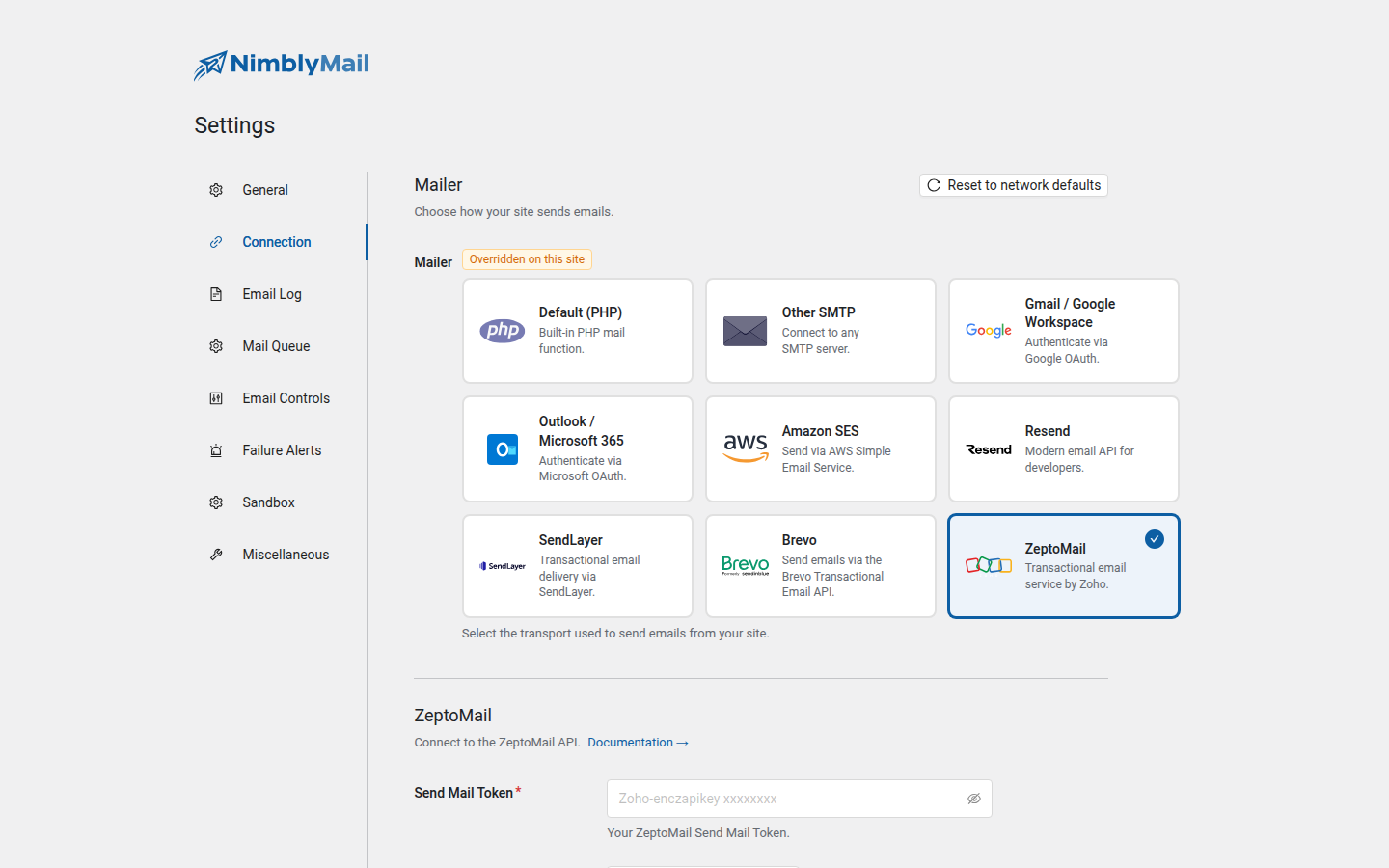
- In WordPress, go to NimblyMail > Settings > Connection and select the ZeptoMail card.
- Paste the token (the full string, including the
Zoho-enczapikeyprefix) into the Send Mail Token field. - Pick the Region that matches the ZeptoMail account region (US
com, EUeu, Indiain, Chinacom.cn, Australiacom.au). - Click Save Changes.
- Use NimblyMail > Tools > Email Tester to send a test email.
API endpoint
NimblyMail sends every email via HTTPS POST to the regional endpoint:
| Region | Endpoint |
|---|---|
| US (default) | https://api.zeptomail.com/v1.1/email |
| EU | https://api.zeptomail.eu/v1.1/email |
| India | https://api.zeptomail.in/v1.1/email |
| China | https://api.zeptomail.com.cn/v1.1/email |
| Australia | https://api.zeptomail.com.au/v1.1/email |
The Send Mail Token travels in the Authorization header (Authorization: Zoho-enczapikey xxxx...).
What gets stored
| Field | Storage |
|---|---|
zeptomail.api_key |
DB (encrypted at rest, AES-256-CBC + HMAC-SHA256). Masked as ******** in the admin UI. |
zeptomail.region |
DB (plain — non-sensitive). |
Locking the token via wp-config.php
define( 'NIMBLY_MAIL_ZEPTOMAIL_API_KEY', 'Zoho-enczapikey xxxxxxx' );
define( 'NIMBLY_MAIL_ZEPTOMAIL_REGION',  'eu' );
Troubleshooting
TM_3201 "Sender domain is not verified" — Verify your sender domain (DKIM CNAMEs, SPF) at https://www.zoho.com/zeptomail/help/getting-started/sender-verification.html.
TM_3501 "Account is suspended" — Your ZeptoMail account is on hold. Check your Zoho dashboard for the reason; common causes are unpaid invoices or unusually high bounce rates.
TM_3001 "Invalid API token" — The token is malformed, expired, or for a different region. Re-generate it from the Mail Agent and verify the Region field matches the account region.
Mismatch between configured region and account region — Each ZeptoMail account is provisioned in one region. If your account is on eu but you configured com, every send will fail. Re-check the Region dropdown.