
Navigation: WP Admin > NimblyMail > Settings > General
Sender identity controls the email address and display name that recipients see when they receive mail from your site. It also controls where bounce notifications are delivered.
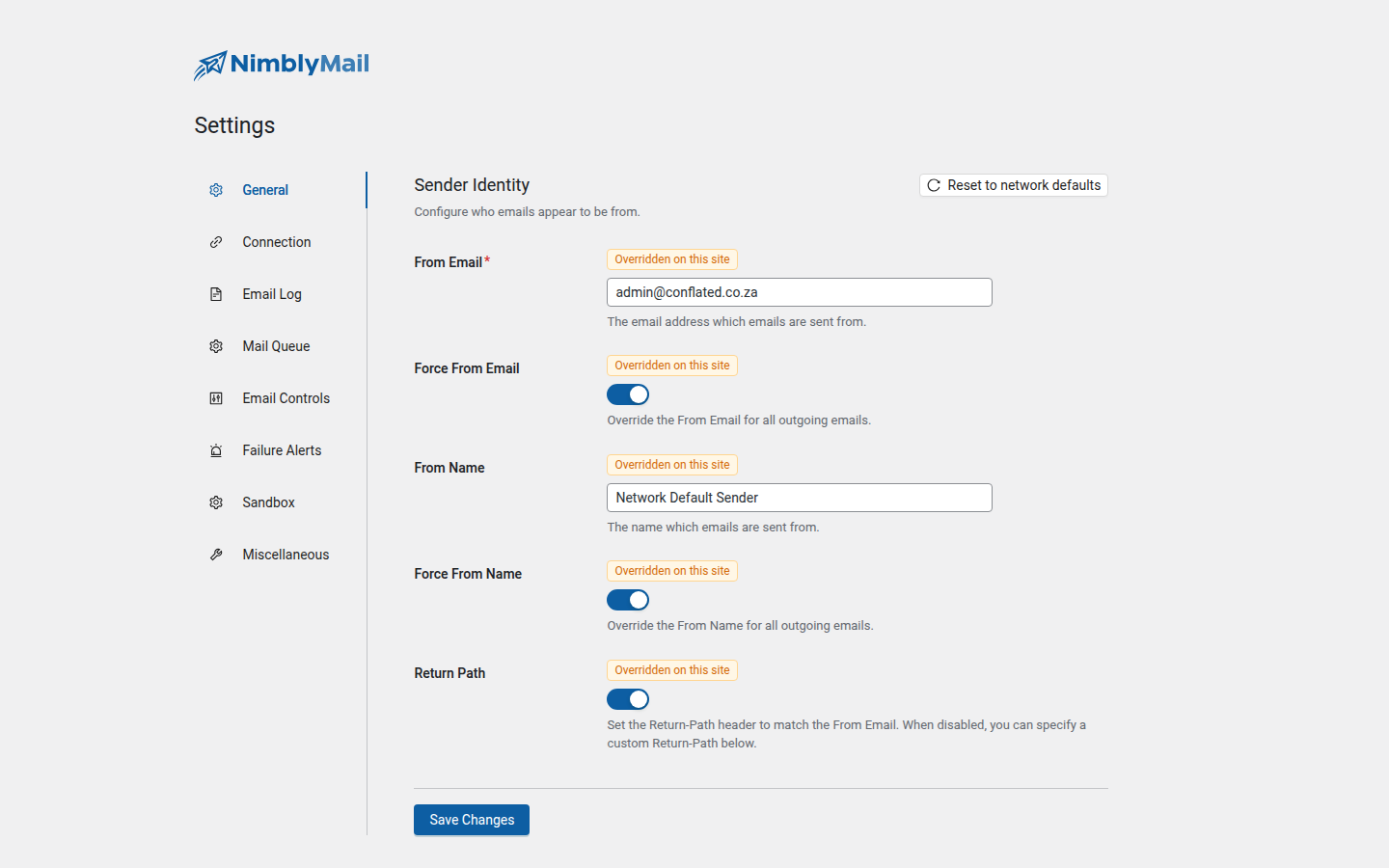
Fields
| Field | Description |
|---|---|
| From Email | The email address shown in the From header. Required. |
| Force From Email | When enabled, overrides the From Email for all outgoing emails. |
| From Name | The display name shown alongside the email address. |
| Force From Name | When enabled, overrides the From Name for all outgoing emails. |
| Return Path | When enabled, sets the Return-Path header to match the From Email. |
| Custom Return Path | A custom bounce address used when the Return Path toggle is off. |
From Email
Set From Email to the address you want recipients to see in their inbox. This should be an address you control and that is authorized to send from your domain (for example, one that passes SPF and DKIM checks).
Tip: Use an address on the same domain as your site. Sending from a free provider address (e.g.,
gmail.com) while routing through your own SMTP server often triggers spam filters.
Force From Email and Force From Name
WordPress core and many plugins set their own From headers before calling wp_mail(). Without the Force toggles, those headers take precedence over your NimblyMail settings.
Enable Force From Email to ensure every outgoing email uses your configured address, regardless of what WordPress core or other plugins request. Enable Force From Name to apply the same guarantee to the display name.
Warning: Forcing the From Email can affect deliverability for transactional plugins that send from a domain-specific address for a reason (for example, a booking plugin sending confirmations from
[email protected]). Review your plugin ecosystem before enabling Force.
Return Path
The Return-Path header tells mail servers where to deliver bounce notifications (non-delivery reports) when a message cannot be delivered to the recipient.
Enable Return Path to automatically set the Return-Path to match your From Email. This is the recommended setting for most sites and improves bounce handling.
If you need bounces delivered to a dedicated address — for example, a mailbox monitored by a bounce processing service — disable the Return Path toggle and enter the address in Custom Return Path (for example, [email protected]).