
The Mail Queue defers wp_mail() calls to a non-blocking background queue powered by Action Scheduler. When the queue is on, the user’s request returns the moment the email is enqueued — the actual SMTP / API call happens out-of-band, with retries on transient failures.
When to turn the queue on
- Your sender provider is occasionally slow (SES throttles, Gmail rate-limits, SMTP server in another data center). Synchronous
wp_mail()blocks the user’s request for the full round trip; queued sends do not. - You send bulk mail (newsletter blasts, monthly statements). The queue’s three-tier priority lane keeps low-priority bulk from blocking high-priority transactional mail.
- You want automatic retries with exponential backoff on transient failures (e.g.
421 Try again later).
When to leave it off
- Your site is low-volume and synchronous sending is fine.
- You’re not running on infrastructure that can run Action Scheduler reliably (rare — Action Scheduler is a battle-tested WP library).
The queue is off by default. Test emails (NimblyMail > Tools > Email Tester) and admin failure-alert emails always send synchronously regardless of the queue setting, so you always get immediate feedback while testing.
Settings
| Field | Default | Description |
|---|---|---|
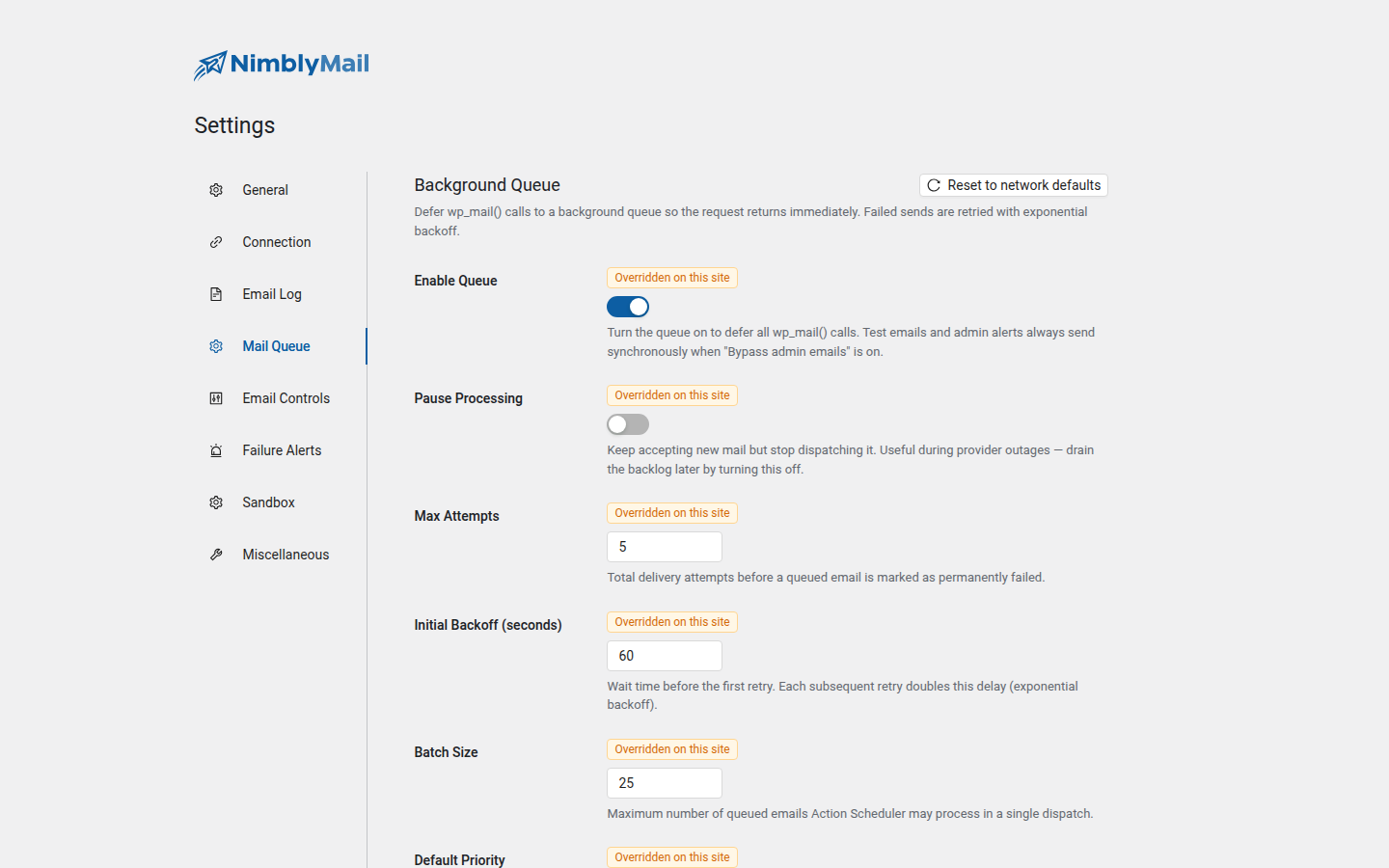
| Enable Queue | Off | Master switch. Turn this on to defer all wp_mail() calls. |
| Pause Processing | Off | Keep accepting new mail into the queue but stop dispatching. Useful during a provider outage — drain the backlog later by toggling this off. |
| Max Attempts | 5 | Total delivery attempts before a queued email is marked permanently failed. Capped at 10. |
| Initial Backoff (seconds) | 60 | Wait time before the first retry. Each subsequent retry doubles the delay (exponential backoff), capped at 1 hour. |
| Batch Size | 25 | Maximum number of queued emails Action Scheduler may process in a single dispatch. Lower this on shared hosts that throttle long-running PHP. |
| Default Priority | Normal | Priority lane for wp_mail() calls that don’t specify one explicitly. |
| Stuck Reclaim (minutes) | 30 | Rows stuck in processing for longer than this are released back to pending (and their attempt count is bumped). Catches worker crashes mid-send. |
| Bypass Admin Emails | On | Send emails to the configured site / network admin address synchronously (so admins always get immediate feedback). Off = even admin mail goes through the queue. |
| Failed Retention (days) | 7 | How long to keep permanently-failed rows before automatic cleanup. |
Priority lanes
Three priorities. Action Scheduler dispatches higher priorities before lower ones when multiple actions share the same scheduled time.
| Priority | Use case |
|---|---|
| High | Time-sensitive transactional mail (password resets, 2FA codes, order confirmations) |
| Normal (default) | Standard transactional mail (welcome emails, notifications) |
| Bulk | Newsletters, large blasts, anything that should yield to higher-priority traffic |
Plugins can set the priority on a per-email basis via the nimbly_mail_pre_send filter. See the Pre-Send Filter extensibility doc.
The Queue admin page
Open NimblyMail > Queue to see live queue activity:
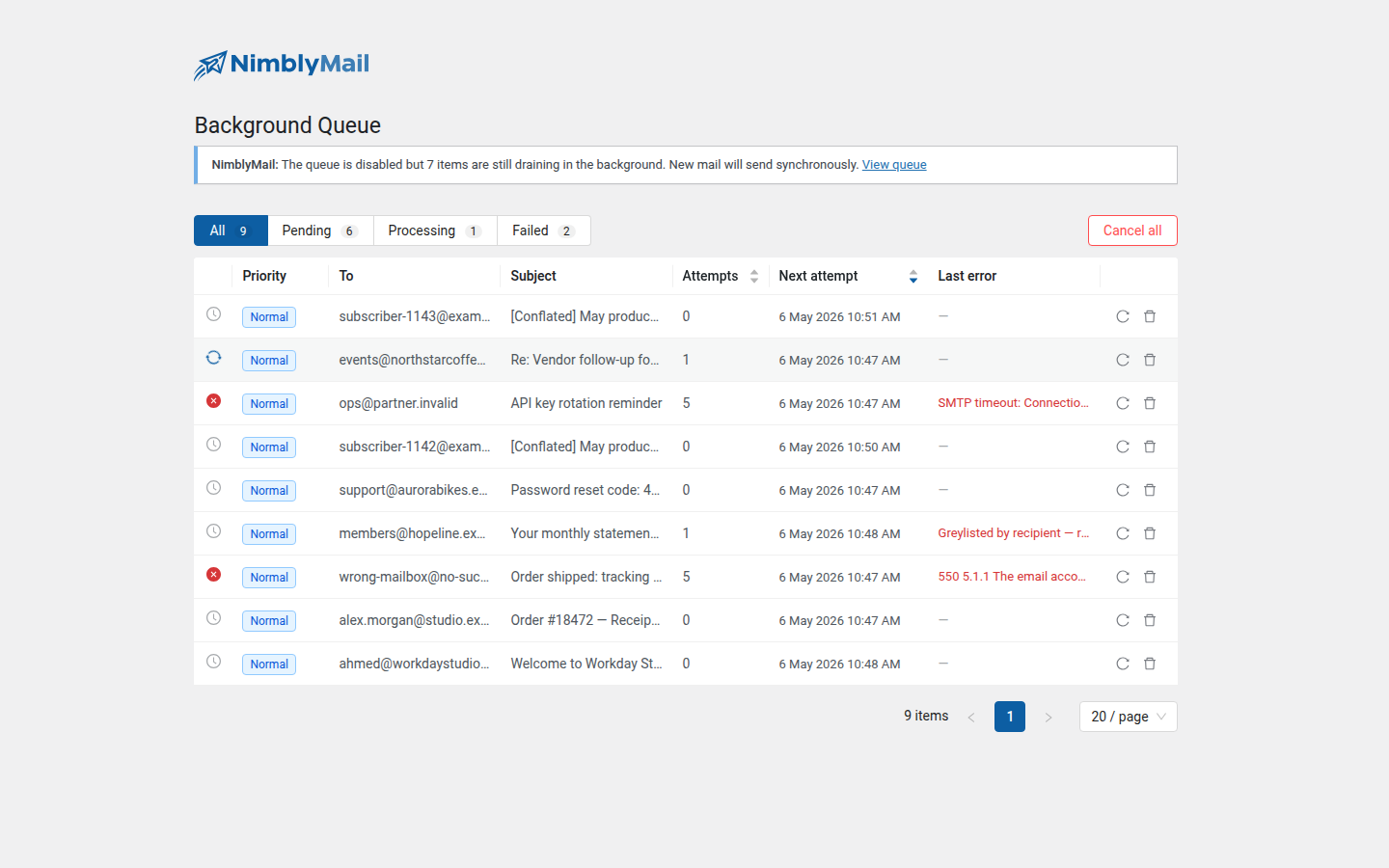
- All / Pending / Processing / Failed tabs with counts.
- Per-row priority, recipient (To), subject, attempt count, next attempt timestamp, and last error.
- Per-row Retry and Cancel actions.
- Cancel all button to drop all pending rows in one shot.
- When the queue is turned off but rows are still draining, a banner at the top of the page summarises the in-flight count so you know whether to expect more activity.
The dashboard widget on NimblyMail > Dashboard surfaces aggregate counts (Pending / Processing / Failed in the last 7 days) so you spot a backlog or failure cluster without opening the Queue page.
How attachments work
When the queue is on, wp_mail() callers often pass attachment paths that point at temp files (e.g. PDFs generated for the request). Those files would be gone by the time the queue runner fires.
To prevent that, NimblyMail stages every attachment on enqueue — copying it to a randomized filename under wp-content/uploads/nimbly-mail-queue/<queue-id>/ with .htaccess / web.config / index.html deny-markers in the parent dir to prevent web crawling. The Runner reads from the staged copy when it dispatches, then deletes the staging directory on success or permanent failure.
Source paths are validated against an allow-list (uploads dir, wp-content, system temp dir) via realpath() containment so a bug in a calling plugin can’t sneak /etc/passwd through as an attachment.
Disabling the queue mid-flight
Turning the queue off does not drop the rows already in the database. Existing pending rows continue to be processed by Action Scheduler until they’re sent or hit the max-attempts ceiling. New wp_mail() calls go back to synchronous delivery immediately.
If you want to drain the backlog faster while keeping the queue off for new sends, enable the queue toggle, leave Pause Processing off, and let it work through. To abandon the backlog instead, click Cancel all on the Queue admin page first.