
NimblyMail supports nine methods for sending WordPress email. This page helps you choose the right one for your site.
Choosing a Provider
The right provider depends on your sending volume, technical comfort level, and whether you need reliable deliverability for transactional email (password resets, order confirmations, notifications). As a general rule: avoid PHP Mail for anything beyond local testing, and use a dedicated transactional email service for production sites.
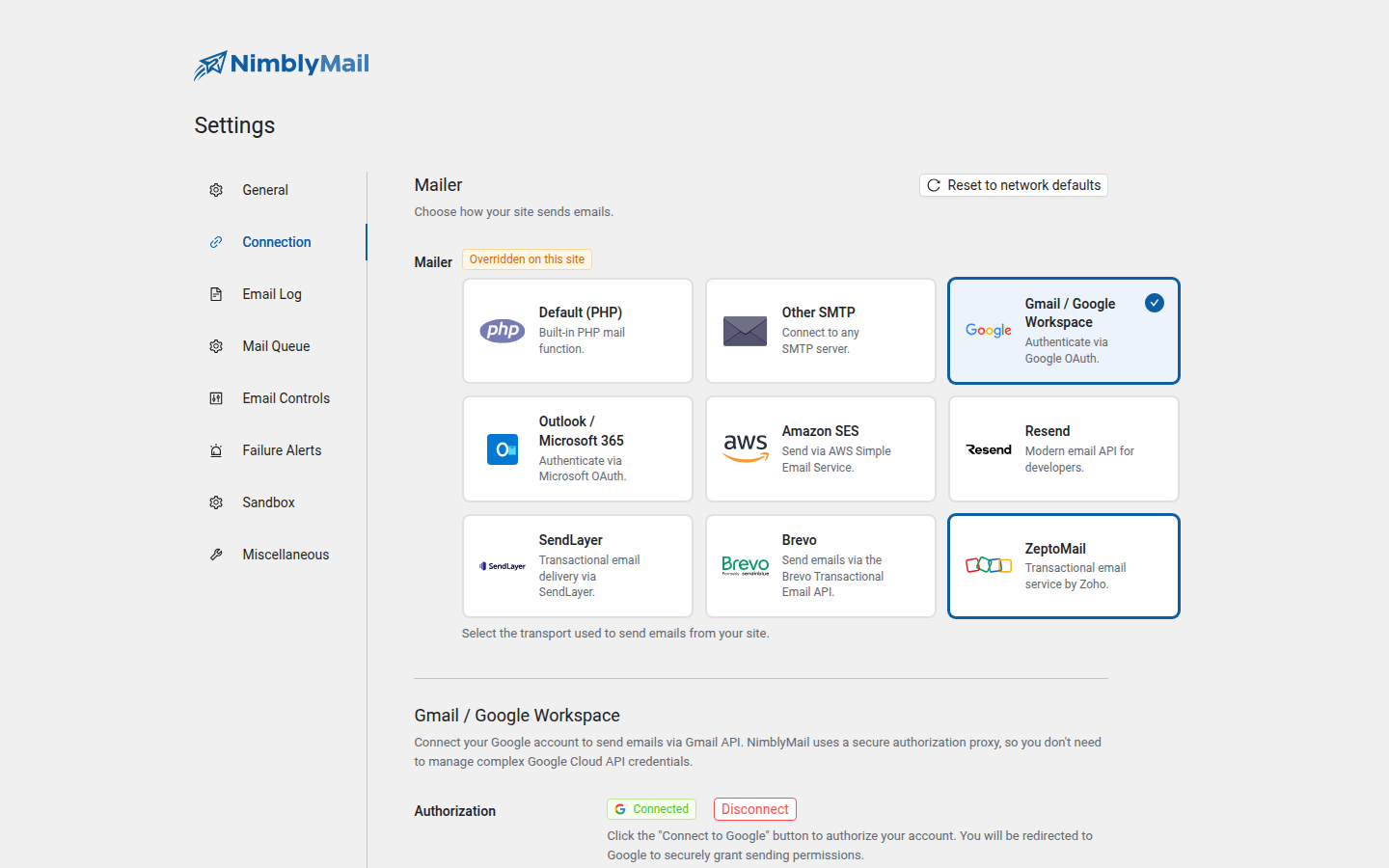
Provider Comparison
| Provider | Method | Best For | Difficulty |
|---|---|---|---|
| Default (PHP Mail) | PHP mail() function |
Local development and testing only | None — no setup required |
| Other SMTP | SMTP relay | Sites already using a mail server or hosted email account | Moderate — requires host, port, and credentials |
| Gmail / Google Workspace | OAuth 2.0 via SMTP XOAUTH2 | Sites using a Google account, send-from-your-own-address | Easy — one-click via NimblyMail OAuth proxy |
| Outlook / Microsoft 365 | OAuth 2.0 via SMTP XOAUTH2 | Sites using a Microsoft 365 account or personal Outlook.com | Easy — one-click via NimblyMail OAuth proxy |
| Amazon SES | AWS API | High-volume sending at low cost | Advanced — requires an AWS account and IAM setup |
| Resend | HTTP API | Developers who want a simple, modern transactional email service | Easy — API key only |
| SendLayer | HTTP API | Sites that want dedicated transactional email with minimal configuration | Easy — API key only |
| Brevo | HTTP API | Sites already using Brevo (formerly Sendinblue) for marketing or transactional email | Easy — API key only |
| ZeptoMail | HTTP API | Sites in the Zoho ecosystem or that need regional sending endpoints | Easy — API key (Send Mail Token) only |
Recommendations by Use Case
Local development or testing
Use Default (PHP Mail). No setup required and it is fine for verifying that email hooks are firing. Do not use it on a live site.
Small to medium site (under a few hundred emails per day)
Use Gmail / Google Workspace or Outlook / Microsoft 365 if you already have one of those accounts. Both connect in one click via NimblyMail’s OAuth proxy — no Google Cloud or Azure registration required. Alternatively, Resend, SendLayer, Brevo, and ZeptoMail all offer generous free tiers and are equally simple (API key only).
High-volume sending or cost sensitivity
Use Amazon SES. At US$0.10 per 1,000 emails it is the most cost-effective option once you are out of the AWS Free Tier. Expect some upfront setup time for domain verification and IAM permissions.
Easiest production-ready option
Use Resend, SendLayer, Brevo, or ZeptoMail. All require only a verified domain and an API key. Any of them is a good default choice if you have no existing preference.
Existing mail server or hosted email account
Use Other SMTP. If your hosting provider or email service already gives you SMTP credentials, this option lets you use them directly without any third-party accounts.
Regional data residency requirements
Use ZeptoMail (Zoho’s transactional email service) — it offers regional endpoints (com, eu, in, com.cn, com.au) so your message data stays in the region you choose.